Prelaunch offer
Your booking, step by step
Choose your stay, check the amounts and terms, then follow the booking in your account. The examples below show the actual WP.ZONE forms with fictional details; they are not a property offer or a live payment.
Bookings are not open yet.
1 / 4
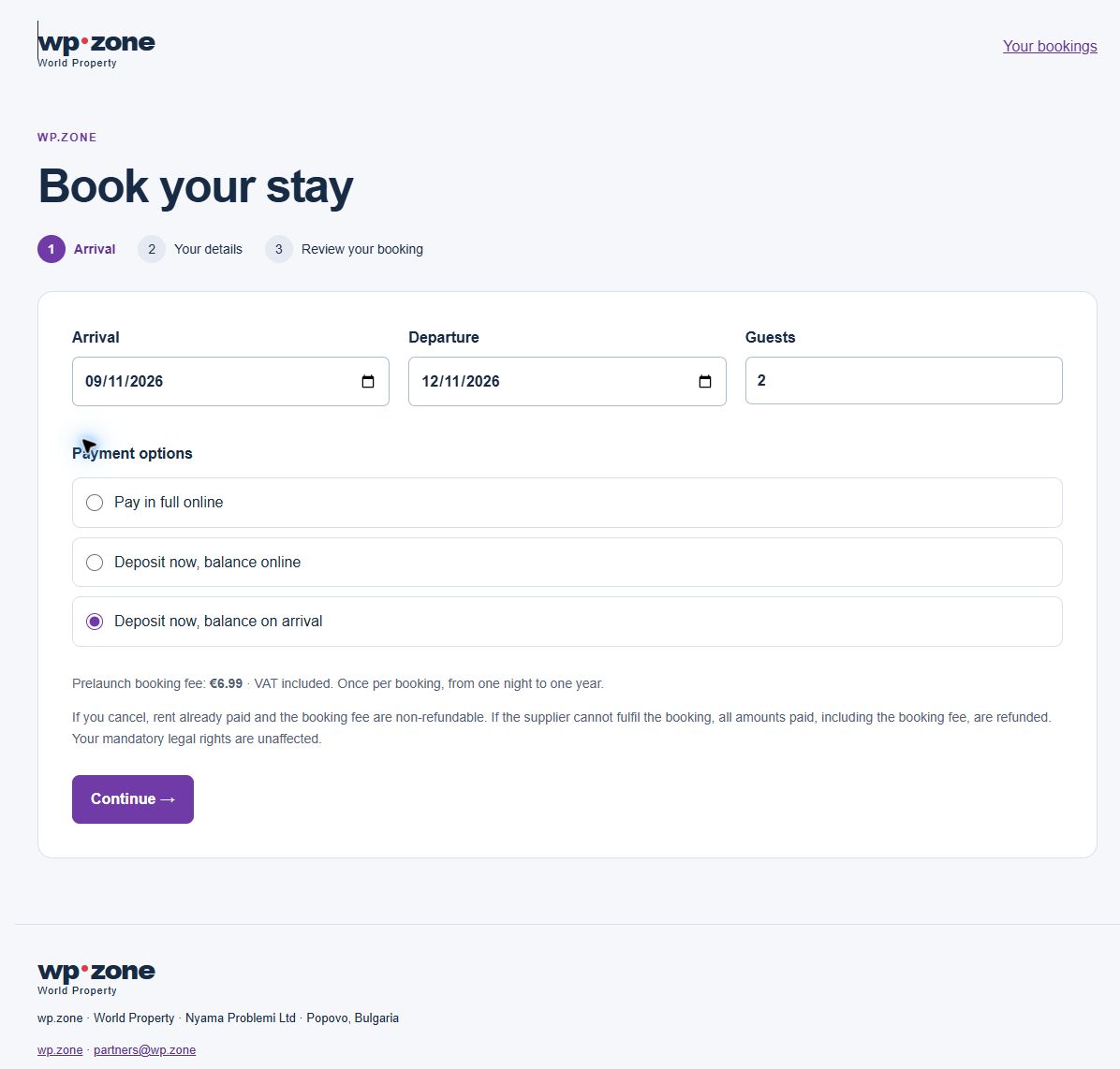
Arrival
Choose arrival and departure dates, the number of guests and an available payment option. The property’s rules determine the stay length. If offered, you can pay a deposit and leave the remaining rent due on arrival.
2 / 4
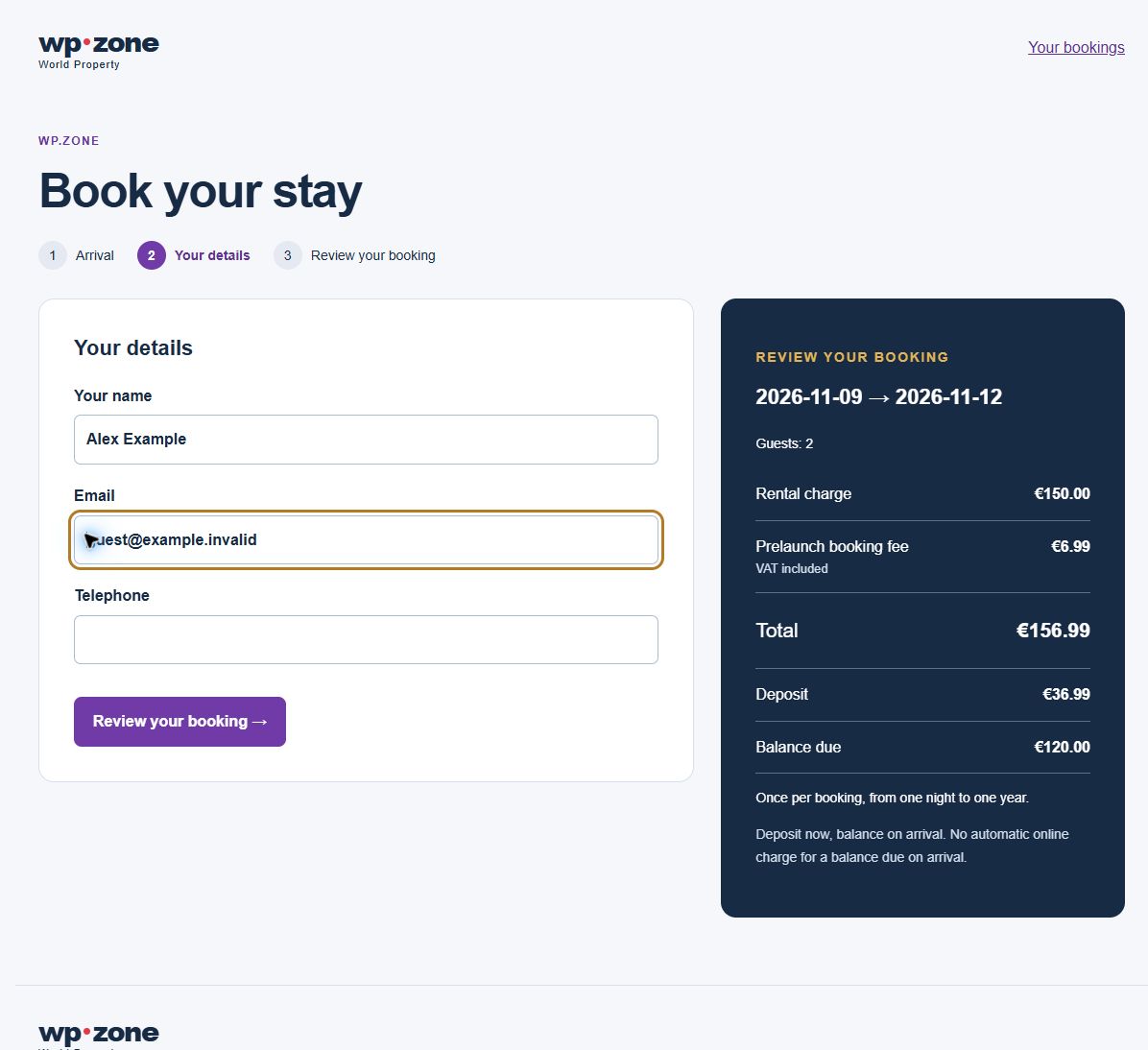
Your details
Add your contact details so the supplier can manage your stay. The rent, booking fee, amount payable now and remaining balance are shown separately. Check the currency and dates before continuing.
3 / 4
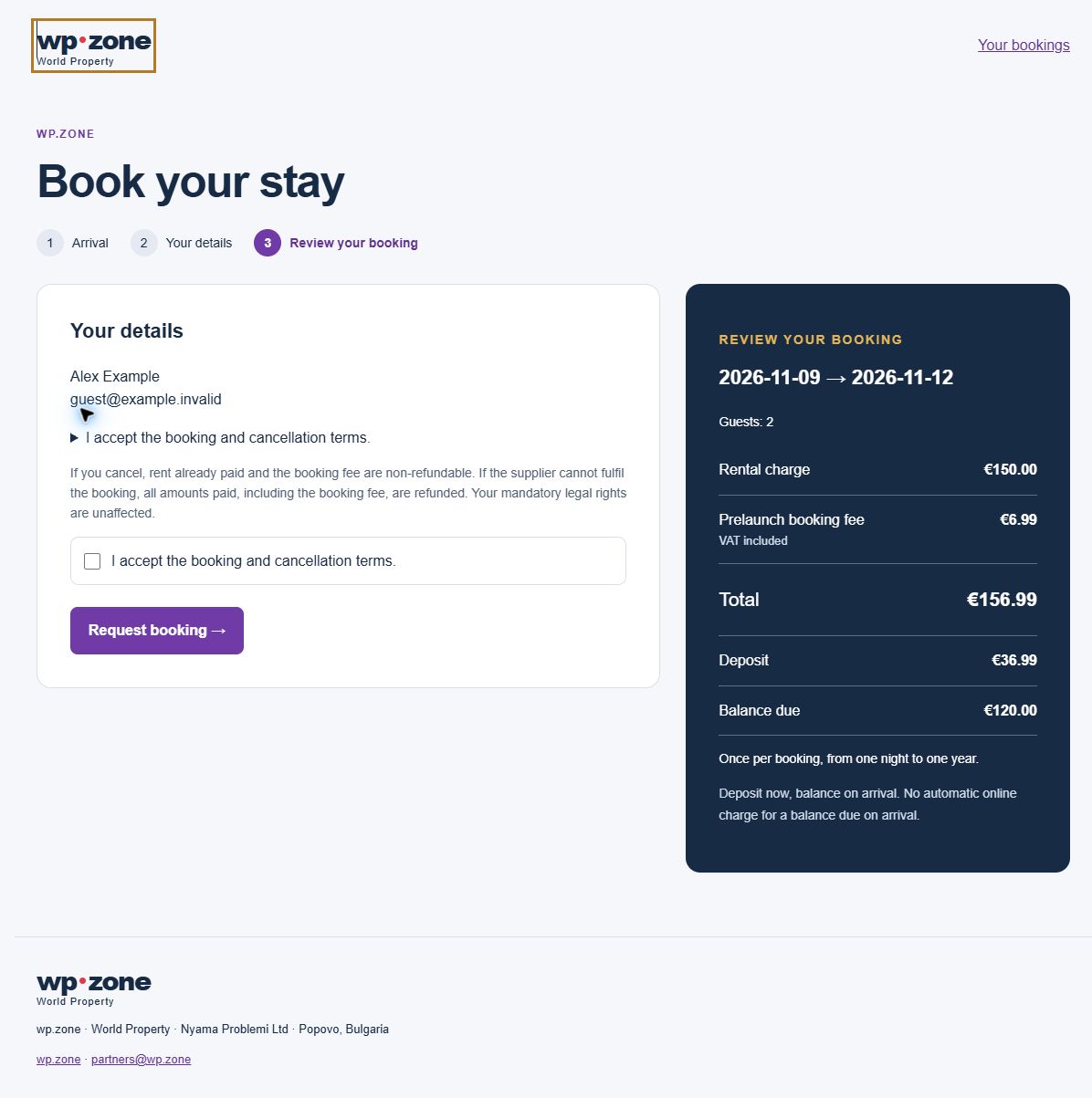
Review your booking
Read the supplier’s terms and cancellation policy before sending the request. A saved request is not a paid confirmation. The supplier must accept it, and online payment must be verified before the booking is confirmed.
If you cancel, rent already paid and the booking fee are non-refundable. If the supplier cannot fulfil the booking, all amounts paid, including the booking fee, are refunded. Your mandatory legal rights are unaffected.
4 / 4
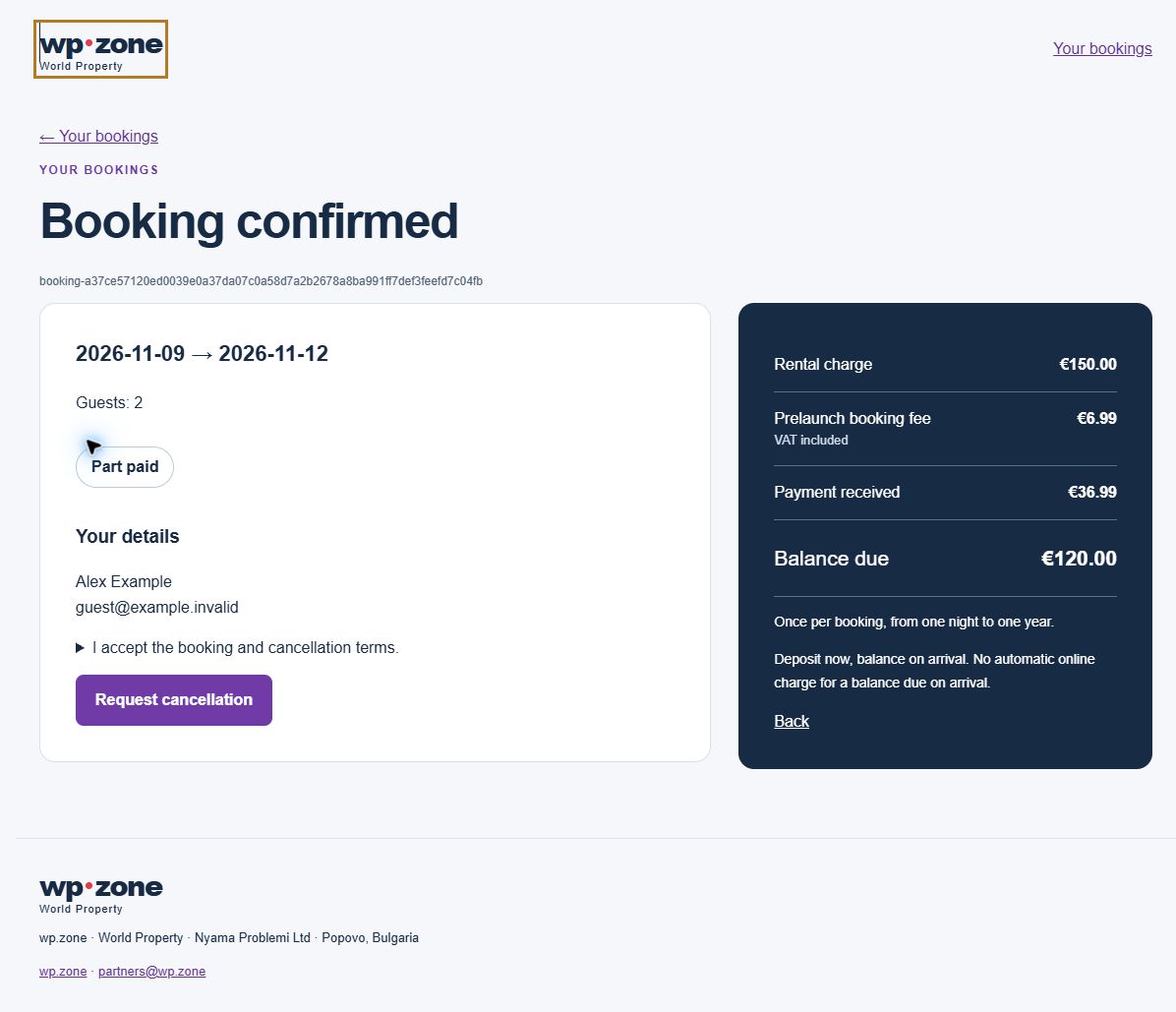
Your bookings
Open the saved booking to see its current status, payments and outstanding rent. A balance due on arrival stays visible and is not automatically charged online. The owner records it when received.
Which listings qualify?
This offer is for eligible direct-feed and private-owner rental listings.